


01
Explore and choose
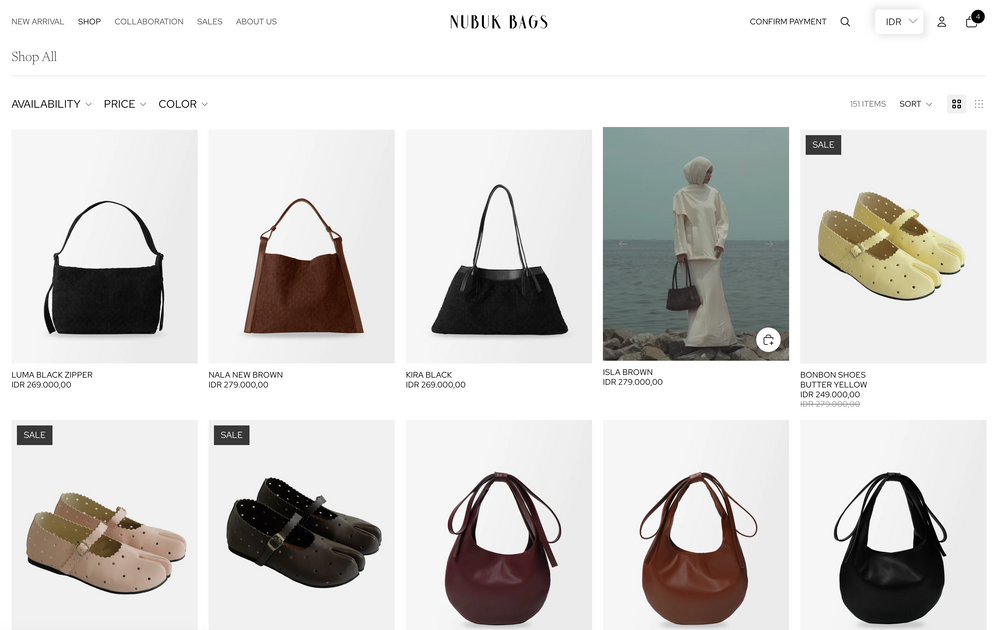
Browse the collection or use search to find a product. Open its page to review photos, description, available options and price. Select your preferred option before adding it to your bag.
A considered way to shop
Follow these simple steps to find your piece, complete checkout and pay securely.
Browse the collection or use search to find a product. Open its page to review photos, description, available options and price. Select your preferred option before adding it to your bag.
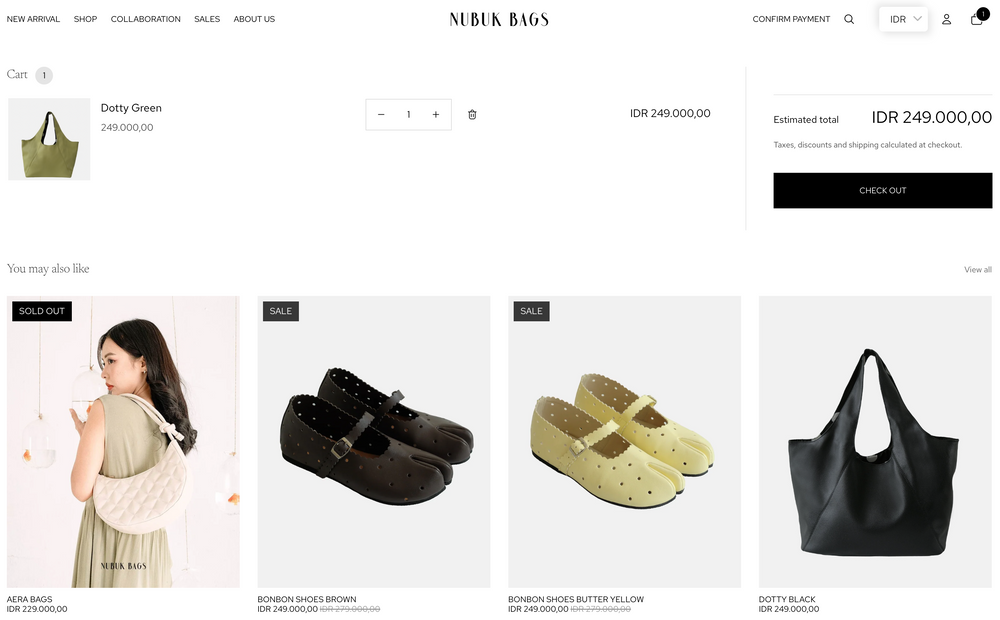
Select Add to cart or Add to bag. Review the item and quantity in your cart, then choose the checkout button when you are ready.
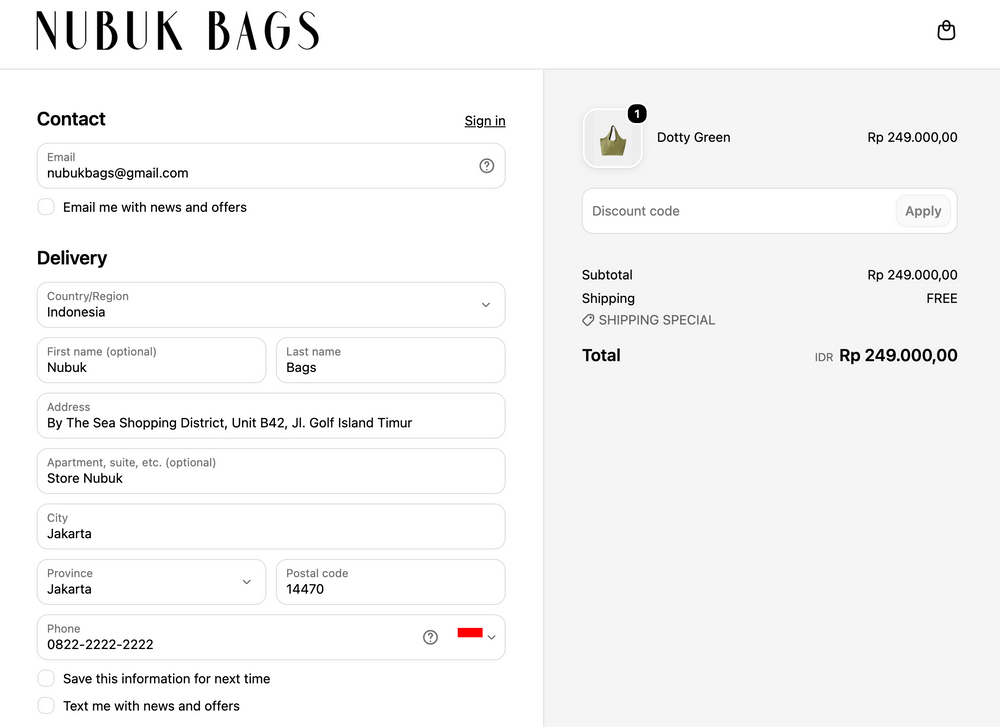
At checkout, enter an active email address and your recipient name, phone number and complete delivery address. Check the country, postal code and contact details carefully so the carrier can reach you.
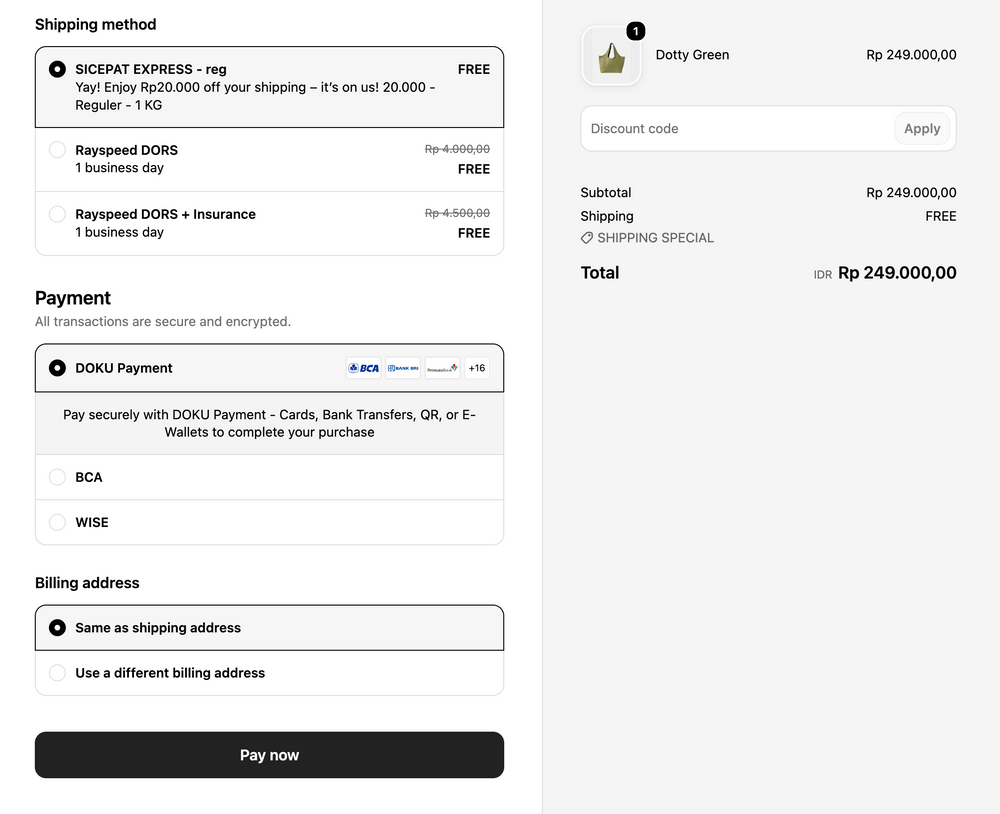
Choose from the shipping options available for your address. Review the delivery service, estimated timing and shipping cost shown at checkout before continuing.
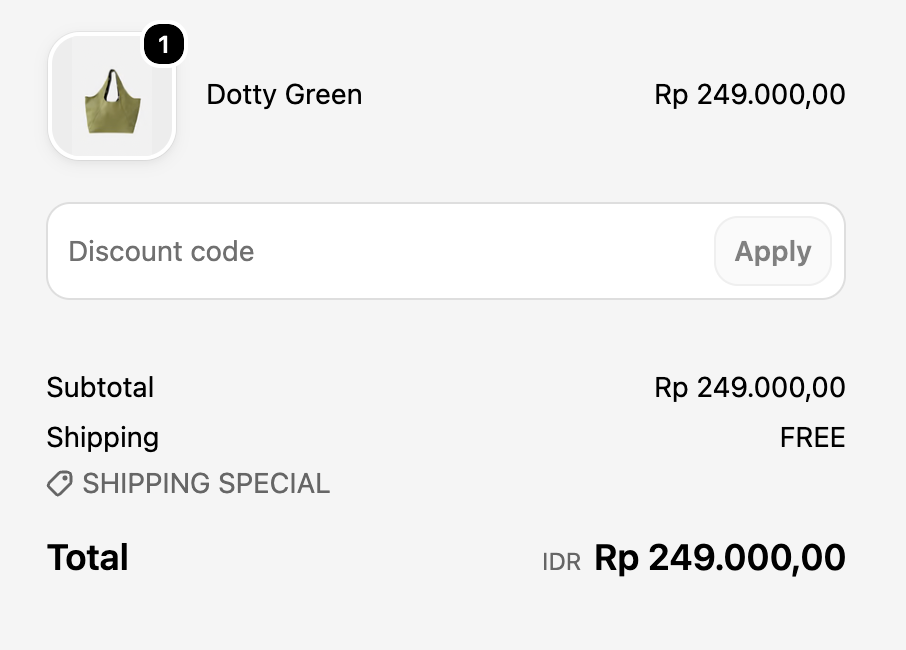
Enter an eligible discount code in the discount code field and select Apply. Confirm the updated total, choose a payment method, then follow the on-screen instructions to complete payment.
Pay securely with DOKU Payment - Cards, Bank Transfers, QR, or E-Wallets to complete your purchase
How to pay: Select the wallet, approve the amount in the official app or scan the checkout QR code, and wait for the successful payment confirmation.
For manual transfers via BCA, please be sure to save your proof of payment, then proceed to the next step under the "confirm payment" section.
How to pay: Use the exact amount and reference shown on the order confirmation. Complete the transfer within the stated payment window and keep the receipt.
For payments made specifically via the Wise app, please ensure that you already have the Wise app installed if you choose this option.
How to pay: Open the Wise app and tap Send. Transfer your payment in IDR to and include your Order Number as the reference. Once paid, upload your payment proof at Confirm Payment. using the same order number and email. Your order will be processed once payment is verified.
Enter your code in the discount code field at checkout and tap Apply. Check that the discount appears in the order summary before paying. Codes may have eligibility, minimum-spend, expiry or product restrictions, and some offers cannot be combined.
Payment options and instructions vary by country and can change. The methods displayed at your checkout are the current options for your order. Never share your password, one-time code or full card details by email or message.